
How can you be more productive working with Microsoft Windows? The Windows key gives you quick access to easy Windows shortcuts. Pressing the Windows key alone (shown below as ⊞ ) or in combination with other keys enables you to move around and work with Windows without using the mouse or other pointing device.
Note: Look for the Windows key to the left of the [Spacebar] (usually between the [Ctrl] and [Alt] keys).
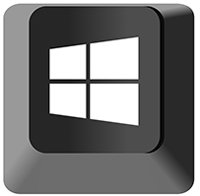
Try these Windows keyboard shortcuts and download your own handout of Windows shortcuts:
- Open and close the Start menu: WIN key ⊞
- Open the Computer window (Windows Explorer): WIN key ⊞ + E
- Show the Desktop (minimize all windows): WIN key ⊞ + D
- Switch users or lock desktop: WIN key ⊞ + L
- Maximize the current window: WIN key ⊞ + Up Arrow
- Open the Project window (when connected to an external display or projector): WIN key ⊞ + P
- Add emojis to most communications (email, social media, document, and more): WIN key ⊞ + . (period)
For more time-saving Microsoft Windows techniques, find additional shortcuts, tips, and tricks at TheSoftwarePro.com/Windows.
© Dawn Bjork, MCT, MOSM, CSP®, The Software Pro®
Microsoft Certified Trainer, Productivity Speaker, Certified Speaking Professional
